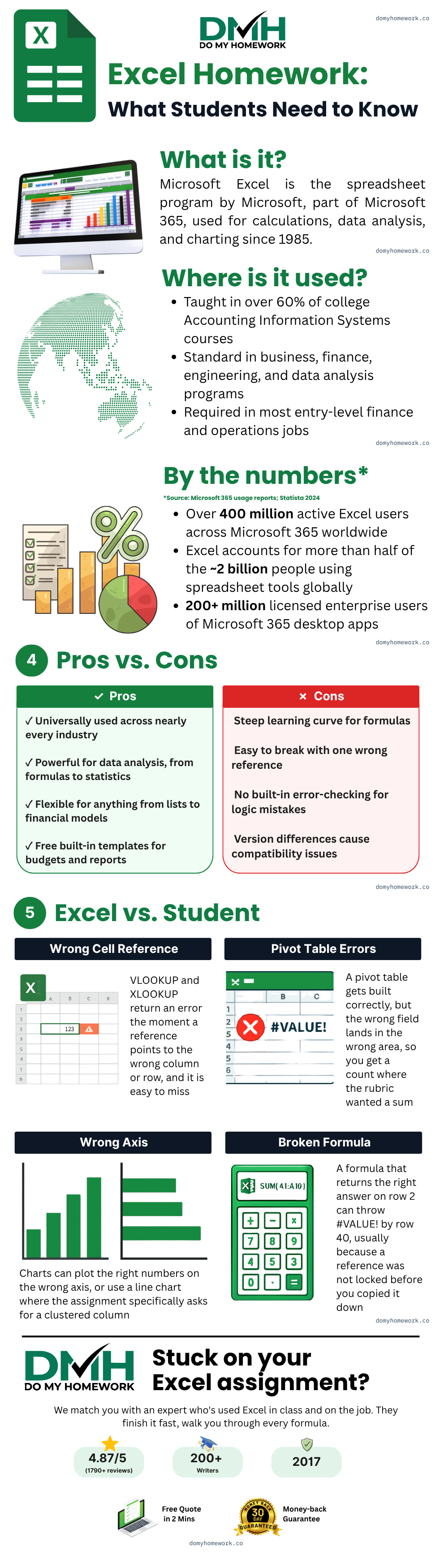








































DoMyHomework has helped students finish Excel assignments since 2017. If you are searching "do my Excel homework for me" because a formula broke or a deadline is closer than the syllabus, send the assignment, get a free quote in about two minutes, and only pay once you approve the price and the deadline. Human experts only, never AI.
Why Excel homework keeps coming back wrong
Most Excel grades are lost on mechanics, not concepts. A VLOOKUP that works on row 2 breaks on row 40 because the range was not locked with a dollar sign, so a relative reference shifted when you copied the formula down. A pivot table gets built, but the wrong field lands in the wrong area, so you get a count where the rubric wanted a sum. A chart plots the right numbers on the wrong axis, or uses a line chart where the assignment wants a clustered column. None of these are hard once you know to look for them, and none of them are the kind of mistake a tutor misses.
We also see the same handful of functions cause most of the trouble: nested IF statements that fall apart past the third condition, INDEX-MATCH set up backwards, and COUNTIF or SUMIF criteria that quietly exclude the row that mattered. XLOOKUP has mostly replaced VLOOKUP in current rubrics because it handles these cases more forgivingly, but plenty of courses still teach VLOOKUP first, and the two are not interchangeable without adjusting the syntax.
The kind of Excel work we take on
Real assignments almost always combine several of these in one workbook. A few examples of what actually comes through:
- A sales dashboard: raw transaction data feeding pivot tables that break revenue down by region and product, with conditional formatting flagging underperforming months.
- A grade tracker: nested IF statements converting scores to letter grades, IFERROR catching blank entries, absolute references keeping the weighting consistent across every row.
- An inventory lookup tool: XLOOKUP handling two-way lookups across a Ctrl+T structured table, with Freeze Panes keeping headers visible on a long list.
- A VBA automation script: a macro that sorts raw data, applies formatting, and saves the result as a PDF without you touching it by hand.
What an Excel homework helper handles most
Day to day, an Excel homework helper spends most of the time on the fundamentals: formulas and functions (SUM, AVERAGE, COUNTIF, SUMIF, nested IF), pivot tables and conditional formatting, VBA macros and Flash Fill. These are the pieces that show up in almost every brief, and the ones where a single wrong reference quietly costs the most marks.
When you need an Excel project helper for a full build
Larger jobs are a different kind of work. A full financial model, a multi-sheet dashboard, or a workbook built from scratch off a brief is where an Excel project helper earns the fee: each sheet has to connect to the next, every formula has to survive new rows of data, and the whole thing still has to open cleanly on your machine. We quote that by scope, not as if it were a one-off formula fix. Financial models specifically overlap with our finance homework help and accounting homework help pages, so if the spreadsheet is really a finance or accounting assignment wearing an Excel wrapper, either page covers the subject side of it.


You stay in control
- Send your assignment
- Get a free quote
- Review the price and deadline
- Decide, no card upfront
Your school is never contacted.
Excel formula help that actually survives grading
A lot of "excel formula help" online stops at "here is the syntax." That is not usually where students get stuck. The real failure points are relative references that shift when you copy a cell, absolute references you forgot to lock with a dollar sign, and criteria in a COUNTIF or SUMIF that technically match the wrong cells. We build the formula against your actual data, not a generic example, and check that it still returns the right answer after you add a row, because that is usually when a fragile formula breaks.
Why a real expert beats AI on Excel specifically
Ask an AI tool to write a VLOOKUP or set up a pivot table and it will confidently produce something that looks correct: right syntax, plausible logic, clean formatting. What it has not done is open your actual file. It will not notice that column C has an inconsistent date format, that Automatic Calculation got switched off in the Formulas tab so nothing updates, or that an absolute reference silently breaks once your dataset passes row 400. None of that shows up until you submit it and the grade comes back lower than expected.
Real Excel expert help means working inside your actual Microsoft Excel workbook, building the formula or pivot table against your real numbers, and testing that it runs before sending it back. An Excel helper here is a person opening the file, not a chatbot describing one, and that is the gap between an answer that looks right and one that survives being opened in your own file.
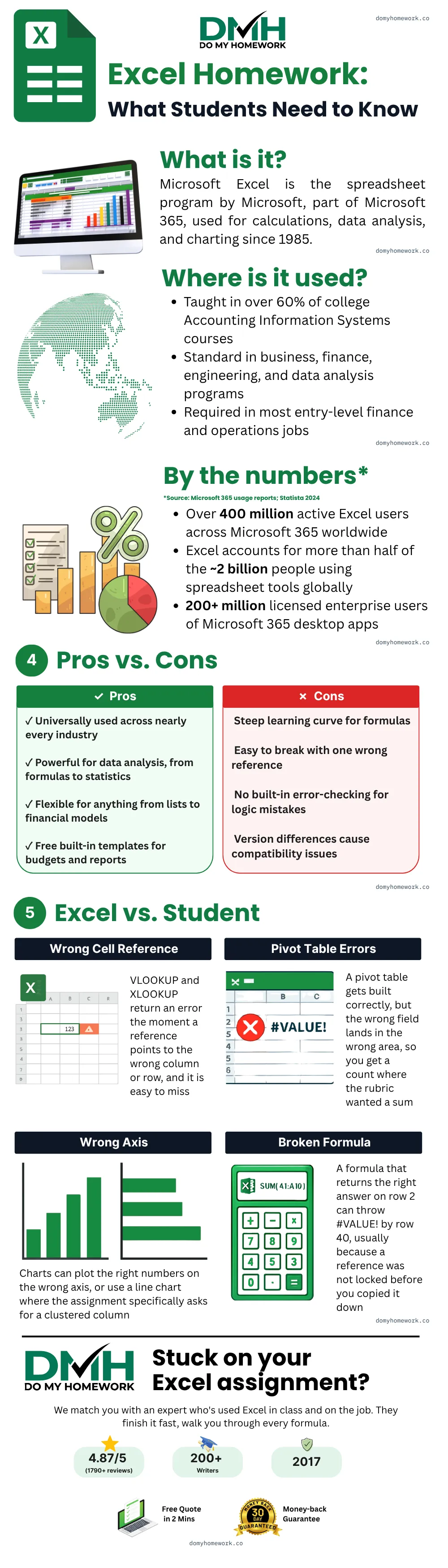
The mistakes that actually cost students marks tend to repeat across four categories: a lookup formula pointed at the wrong column or row, a pivot table built correctly but with the wrong field dropped into the wrong area, a chart plotting the right numbers on the wrong axis (or a line chart where the assignment specifically asked for a clustered column), and a formula that works fine on row 2 but throws an error by row 40 because a reference was never locked before it got copied down. None of these are typos an AI tool would catch, because catching them means actually opening the file and checking the result against your real data, not just producing syntax that looks plausible. The infographic below walks through each one.
Is this considered cheating?
Think of your finished workbook as a working draft. Our experienced Excel experts build every formula and chart around your assignment brief and your data, so you have a correct, working model in front of you. We then recommend you follow our Fair Use Policy, which explains how to use completed work the right way: as a template you understand and rebuild in your own file, the same as a worked example from class.
Same-day help with Excel homework, and what takes longer
Tell us the deadline at quote time. A single formula fix or a straightforward pivot table can usually be turned around in a few hours when our experts are free. Larger builds, VBA automation, multi-sheet dashboards, full financial models, take longer because each part has to be built and tested against your data individually. Same-day help is available most days of the week, and if your deadline is tight, we will tell you honestly what is realistic rather than promise something we cannot deliver.
What you pay, and how the process runs
Spreadsheet work is quoted by scope and complexity rather than a flat per-page rate, since a single formula fix and a five-tab financial model are not the same job. If your search was "pay someone to do my Excel homework" and be done with it, that is exactly what this covers, priced up front before you commit.
How Excel homework help online works, start to finish
Getting Excel homework help online here is four steps, not a subscription. Send the assignment or the workbook you already started, you get a free quote in about two minutes, you approve the price and the deadline, and then an Excel expert builds it and sends it back with every formula tested. If something is wrong, the 30-day money-back guarantee covers it, and revisions are free.
See pricing for how quotes are put together across every subject.